How to Create Professional Video Tutorials That Actually Convert
Complete guide to creating engaging video tutorials that drive results. Learn the tools, techniques, and strategies used by top content creators and SaaS companies.
How to Create Professional Video Tutorials That Actually Convert
I've created over 500 video tutorials in my career, from quick feature walkthroughs to comprehensive course content. I've seen tutorials that generated millions of views and drove massive user adoption, and I've seen others that barely cracked 100 views despite covering valuable topics.
The difference isn't always the content quality – it's the execution. After analyzing what separates successful tutorials from forgotten ones, I've identified the key elements that make video tutorials not just watchable, but genuinely effective at driving user behavior.
The Hidden Psychology of Tutorial Consumption
Before diving into production techniques, let's understand how people actually consume tutorial content. Most creators get this fundamentally wrong.
The 15-Second Rule
Viewers decide whether to continue watching within the first 15 seconds. Not 30 seconds, not a minute – 15 seconds. This means your opening needs to immediately demonstrate value and set clear expectations.
Bad opening: "Hi everyone, welcome to my channel. Today I'm going to show you how to use this really cool feature that I think you'll find interesting..."
Good opening: "In the next 3 minutes, I'll show you how to automate your entire customer onboarding process, which typically saves companies 8 hours per week."
The Confidence Transfer Effect
When viewers watch tutorials, they're not just learning steps – they're absorbing your confidence level. Every hesitation, every "um," every typing mistake transfers doubt to your audience. This is why technical execution matters as much as content quality.
I learned this lesson during my time working with developer-focused companies. Our most successful developer tutorials weren't necessarily the most comprehensive – they were the ones where the presenter exuded quiet confidence throughout the entire process.
The STORY Framework for Tutorial Structure
After creating hundreds of tutorials, I developed the STORY framework that consistently produces engaging, effective content:
S - Setup the Problem
Start with a relatable pain point. Don't assume viewers understand why they need to learn this. Paint a picture of the frustration or inefficiency your tutorial will solve.
T - Tease the Outcome
Show or describe the end result before diving into steps. This creates a mental anchor that keeps viewers engaged through the process.
O - Outline the Journey
Give viewers a roadmap. "We'll cover three main steps: setup, configuration, and testing." This reduces cognitive load and sets expectations.
R - Reveal the Process
This is your step-by-step walkthrough. But here's the key: explain the "why" behind each action, not just the "what."
Y - Yield Next Steps
End with clear next actions. What should viewers do immediately after watching? How can they go deeper?
Technical Setup That Actually Matters
Let's talk about the technical aspects that make or break tutorial quality. I'll focus on what actually impacts viewer experience, not just what sounds impressive.
Screen Recording Essentials
Resolution: Record at 1920x1080, even if you plan to publish at lower resolutions. This gives you flexibility in post-production and ensures text remains readable.
Frame Rate: 30fps is sufficient for most tutorials. Higher frame rates increase file sizes without meaningful quality improvements for instructional content.
Audio Quality: This is where most tutorials fail. Invest in a decent USB microphone ($50-100 range). Poor audio will kill engagement faster than any visual issue.
The Typing Problem (And How to Solve It)
Here's something most tutorial creators don't talk about: typing mistakes destroy credibility faster than any other single factor. I've watched brilliant developers lose audience confidence because they couldn't spell "authentication" correctly on the third try.
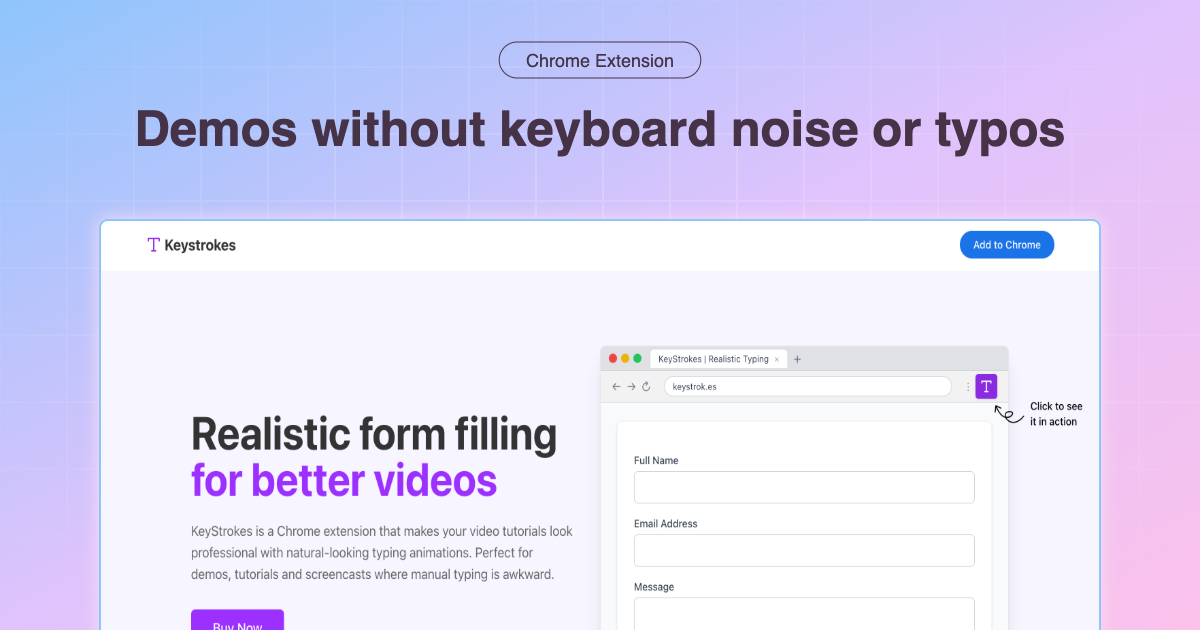
The solution isn't to become a better typist – it's to eliminate typing as a variable. Tools like KeyStrokes allow you to pre-plan your form inputs and execute them flawlessly during recording. This isn't cheating; it's professional preparation.
Before automated typing: 4-6 takes per 10-minute tutorial, with 40% of time spent on retakes After automated typing: 1-2 takes per tutorial, with 90% of time focused on content delivery
Environment Preparation
Clean Desktop: Remove personal files, notifications, and distracting elements. Your desktop is part of the tutorial experience.
Browser Setup: Use a clean browser profile with minimal extensions. Disable notifications and auto-updates during recording.
Demo Data: Prepare realistic, relevant data that tells a story. Using "test@test.com" immediately signals amateur production.
Content Strategies That Drive Engagement
The Progressive Disclosure Method
Don't overwhelm viewers with everything at once. Introduce complexity gradually:
- Basic functionality (gets them started quickly)
- Common variations (handles their likely use cases)
- Advanced options (for power users who want to go deeper)
The Mistake Recovery Technique
Intentionally show how to handle common errors or edge cases. This builds confidence and reduces support burden. But here's the key: plan these "mistakes" in advance so you can demonstrate recovery smoothly.
The Context Bridge Strategy
Connect each step to real-world business value. Instead of "Click the Settings button," try "Click Settings to access the configuration options that will save your team 2 hours per week."
Platform-Specific Optimization
YouTube Tutorials
- Length: 8-12 minutes for maximum engagement
- Thumbnails: Show the end result, not your face
- Titles: Include the specific outcome, not just the process
- Description: Provide timestamps and links to related resources
Internal Training Videos
- Length: 3-5 minutes per concept
- Format: Modular content that can be consumed independently
- Follow-up: Include knowledge checks or practical exercises
Product Demo Videos
- Length: 2-3 minutes for feature demos, 5-7 for workflow demos
- Focus: Business outcomes, not feature lists
- CTA: Clear next step for viewers to take
Advanced Production Techniques
The Zoom and Highlight Method
Use screen annotations strategically:
- Zoom in on specific interface elements when first introducing them
- Highlight clickable areas before clicking
- Use callouts for important information that might be missed
The Parallel Narration Technique
Record your screen actions first, then add narration in post-production. This allows you to:
- Focus completely on smooth execution during recording
- Craft more polished explanations during narration
- Easily re-record audio without redoing screen actions
The Segmented Recording Approach
Break complex tutorials into 2-3 minute segments. This allows you to:
- Maintain energy and focus throughout
- Easily re-record problematic sections
- Create modular content for different platforms
Measuring Tutorial Success
Track metrics that actually matter for your goals:
Engagement Metrics
- Watch time percentage: Aim for 60%+ average view duration
- Drop-off points: Identify where viewers leave and optimize those sections
- Replay sections: High replay indicates either confusion or high value
Business Impact Metrics
- Feature adoption: Are viewers actually using what you taught?
- Support ticket reduction: Good tutorials should decrease related support requests
- User activation: Do tutorial viewers progress further in your product?
Content Quality Indicators
- Comments quality: Are viewers asking follow-up questions or sharing successes?
- Sharing behavior: Do viewers share your tutorials with colleagues?
- Series completion: For multi-part tutorials, what percentage complete the series?
Common Mistakes That Kill Tutorial Effectiveness
The Feature Tour Trap
Showing every feature doesn't create effective tutorials. Focus on specific workflows that solve real problems.
The Assumption Error
Don't assume viewers have the same context you do. Explicitly state prerequisites and provide necessary background.
The Perfectionism Paralysis
Waiting for perfect conditions means never publishing. Good tutorials published consistently beat perfect tutorials published rarely.
The One-Size-Fits-All Mistake
Different audiences need different approaches. A tutorial for developers should be structured differently than one for end users.
Building a Sustainable Tutorial Creation Process
Content Planning
- Audit support tickets to identify common questions
- Survey your audience about their biggest challenges
- Analyze competitor content to find gaps you can fill
- Track feature usage to prioritize tutorial topics
Production Workflow
- Script key talking points (not word-for-word, but main concepts)
- Prepare demo environment with realistic data
- Record in segments to maintain quality and energy
- Edit for clarity, not perfection
- Test with real users before publishing
Continuous Improvement
- A/B test thumbnails and titles to improve click-through rates
- Analyze drop-off patterns to identify content issues
- Gather viewer feedback through comments and surveys
- Update outdated content to maintain relevance
The Future of Tutorial Content
Looking ahead, several trends will shape how we create and consume tutorial content:
Interactive Tutorials
Static video will increasingly be supplemented by interactive elements that let viewers practice alongside the tutorial.
AI-Powered Personalization
Tutorials will adapt to viewer skill level and learning pace, providing personalized experiences at scale.
Micro-Learning Integration
Short, focused tutorials will be embedded directly in product interfaces, providing just-in-time learning.
Your Tutorial Creation Action Plan
Ready to create tutorials that actually drive results? Here's your step-by-step action plan:
- Identify your top 3 tutorial topics based on user questions and business goals
- Set up your recording environment with proper audio and clean visuals
- Create realistic demo personas and data for consistent, professional presentations
- Implement automated typing to eliminate the most common source of retakes
- Record your first tutorial using the STORY framework
- Measure engagement and iterate based on viewer behavior
The difference between tutorials that get watched and tutorials that drive action comes down to preparation, execution, and continuous improvement. Focus on solving real problems for real people, and the technical details will follow.
Ready to eliminate the biggest source of tutorial retakes? Get KeyStrokes and experience the confidence that comes with flawless typing in every recording.
Want to dive deeper into specific tutorial techniques? Check out our guides on Chrome extension automated typing and automated form filling strategies for advanced production tips.