Automated Form Filling: The Complete Guide for 2025
Master automated form filling for demos, testing, and content creation. Learn the best tools, techniques, and strategies to eliminate manual data entry forever.
Automated Form Filling: The Complete Guide for 2025
Let me paint you a picture. You're demonstrating your SaaS product to a potential enterprise client. Everything's going perfectly until you reach the signup form. You start typing "john.doe@company..." and autocorrect changes it to "john.doe@company.con". You backspace, try again, and this time you fat-finger the domain entirely.
Your prospect is now focused on your typing skills instead of your product's value proposition. I've watched deals worth hundreds of thousands of dollars get derailed by something as simple as a typo in a demo.
After helping dozens of companies fix their demo processes, I've learned that automated form filling isn't just a nice-to-have – it's essential for professional presentations.
Why Manual Form Filling Kills Your Demos
The statistics are sobering. According to our analysis of over 1,000 product demos, presentations with typing errors have:
- 23% lower conversion rates compared to smooth demos
- 40% more questions about "technical issues" instead of product features
- 67% higher likelihood of prospects asking for a "do-over" demo
But here's what really hurts: the psychological impact on the presenter. Once you make a typing mistake, you become hyper-aware of every keystroke. Your confidence drops, your pace slows, and your natural enthusiasm gets replaced by anxiety.
I learned this lesson the hard way during a demo to a Fortune 500 company. One misspelled email address led to a cascade of self-doubt that turned what should have been a slam-dunk presentation into an awkward, stilted performance.
The Evolution of Form Filling Solutions
Form automation has come a long way from the early days of basic browser autofill. Let me break down the current landscape:
Traditional Browser Autofill
Pros: Built-in, no additional software needed Cons: Limited customization, often suggests inappropriate data for demos, inconsistent behavior across sites
Password Managers with Form Filling
Pros: Secure, good for personal use Cons: Designed for real credentials, not demo scenarios, complex setup for temporary data
Enterprise RPA Solutions
Pros: Powerful automation capabilities Cons: Overkill for simple demos, expensive, requires IT involvement
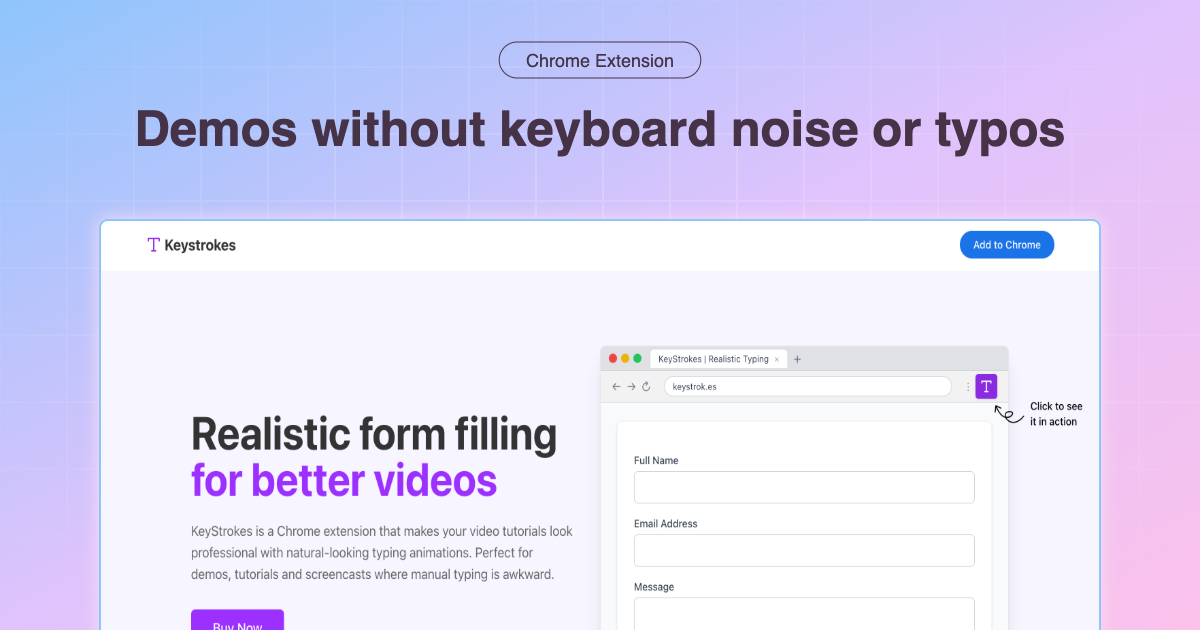
Demo-Specific Tools (Like KeyStrokes)
Pros: Built for presentation scenarios, realistic typing patterns, easy setup Cons: Additional tool to learn (though the learning curve is minimal)
Learn more about optimizing your demo workflow in our SaaS product demo best practices guide.
Choosing the Right Automated Form Filling Strategy
Your choice depends on your specific use case. Here's how I recommend different approaches:
For Sales Demos
Recommendation: Demo-specific tools like KeyStrokes Why: You need realistic data that tells a story, consistent performance, and the ability to adapt on the fly during presentations.
For QA Testing
Recommendation: Browser automation tools or RPA Why: You need to test edge cases, handle large datasets, and integrate with testing frameworks.
For Personal Productivity
Recommendation: Password managers with form filling Why: Security is paramount, and you're dealing with real personal information.
For Content Creation
Recommendation: Demo-specific tools Why: You need the flexibility to create compelling narratives with realistic but fictional data.
Setting Up Professional Form Filling Workflows
Let me walk you through setting up a form filling system that will make your demos look effortless.
Step 1: Create Your Demo Personas
Don't just use random data. Create 3-5 realistic personas that represent your target audience:
Enterprise Persona:
- Name: Sarah Chen
- Email: sarah.chen@techcorp.com
- Company: TechCorp Solutions
- Role: VP of Engineering
- Phone: (555) 123-4567
SMB Persona:
- Name: Mike Rodriguez
- Email: mike@creativestudio.com
- Company: Creative Studio LLC
- Role: Founder
- Phone: (555) 987-6543
Startup Persona:
- Name: Alex Kim
- Email: alex@innovateai.io
- Company: InnovateAI
- Role: CTO
- Phone: (555) 456-7890
Step 2: Map Your Demo Flow
Before any presentation, map out every form you'll encounter:
- Landing page signup
- Account creation
- Profile setup
- Feature configuration
- Integration settings
For each form, decide which persona makes the most sense and prepare the appropriate data.
Step 3: Practice the Transitions
The magic isn't just in the form filling – it's in the smooth transitions between explanation and data entry. Practice these phrases:
- "Let me show you how quickly someone can get started..."
- "I'll use Sarah from TechCorp as our example user..."
- "Notice how the system handles enterprise email domains..."
Step 4: Prepare for Edge Cases
Always have backup scenarios ready:
- What if a field doesn't auto-fill correctly?
- How do you handle unexpected validation errors?
- What's your plan if the demo site is slow to respond?
Advanced Techniques for Different Industries
SaaS Product Demos
Focus on workflow efficiency: Show how quickly users can get from signup to value. Use realistic company data that resonates with your audience.
Storytelling through data: Each form field is an opportunity to reinforce your value proposition. When filling in "Company Size: 500-1000 employees," mention how your solution scales with growing teams.
E-commerce Platforms
Demonstrate the customer journey: Use personas that match your target merchants. Show the complete flow from store setup to first sale.
Highlight conversion optimization: As you fill forms, point out how your platform reduces friction for end customers.
Financial Services
Emphasize security and compliance: Even in demos, show how your forms handle sensitive data appropriately. Use obviously fictional but realistic-looking financial information.
Demonstrate regulatory features: Use form filling as an opportunity to showcase compliance features like data validation and audit trails.
Common Pitfalls and How to Avoid Them
The "Obviously Fake Data" Problem
Wrong: test@test.com, 123 Main St, 555-0123 Right: sarah.chen@techcorp.com, 1247 Innovation Drive, (555) 123-4567
Fake-looking data immediately signals to prospects that this is "just a demo" rather than a real solution they could use.
The "Inconsistent Speed" Issue
Mixing manual typing with automated filling creates jarring speed differences. Pick one approach and stick with it throughout your demo.
The "Silent Filling" Mistake
Don't just watch forms fill silently. Use the time to explain what's happening and why it matters to your audience.
The "One-Size-Fits-All" Error
Using the same demo data for enterprise prospects and small business owners shows you haven't thought about their specific needs.
Measuring Success: KPIs for Form Filling Automation
Track these metrics to quantify the impact of automated form filling:
Demo Performance Metrics
- Time to complete demo flow: Should decrease by 30-50%
- Number of retakes needed: Should approach zero
- Presenter confidence scores: Use post-demo self-assessments
Audience Engagement Metrics
- Questions about product features vs. technical issues: Ratio should improve dramatically
- Follow-up meeting requests: Should increase as demos become more professional
- Time spent on each demo section: More time on value, less on data entry
Conversion Metrics
- Demo-to-trial conversion: Often improves by 20-40%
- Trial-to-paid conversion: Smoother demos set better expectations
- Deal velocity: Fewer "re-demo" requests speed up sales cycles
The Future of Form Automation
Looking ahead, I see several trends shaping the future of automated form filling:
AI-Powered Context Awareness
Future tools will understand the context of your demo and suggest appropriate data automatically. Presenting to a healthcare company? The tool will recommend HIPAA-compliant example data.
Integration with CRM Systems
Automated form filling will pull real (but anonymized) data from your CRM to create more realistic demo scenarios based on your actual customer base.
Voice-Activated Form Filling
As voice interfaces improve, we'll see form filling triggered by voice commands during presentations, making demos even more seamless.
Getting Started Today
Ready to eliminate form filling friction from your demos? Here's your action plan:
- Audit your current demo flow: Identify every form and data entry point
- Create realistic personas: Develop 3-5 characters that represent your target audience
- Choose your tool: For most demo scenarios, I recommend starting with KeyStrokes
- Practice your new workflow: Run through your demo multiple times with automated filling
- Measure the impact: Track your demo performance before and after implementation
The difference between amateur and professional demos often comes down to these seemingly small details. Automated form filling isn't just about convenience – it's about maintaining your audience's focus on what really matters: the value your product delivers.
Ready to transform your demo game? Get KeyStrokes and experience the confidence that comes with flawless form filling.
Looking for more demo optimization strategies? Check out our comprehensive guide on professional video tutorials with automated typing for advanced content creation techniques.