Professional Video Tutorials with Automated Typing
Learn how I discovered the secret to creating flawless video tutorials after years of embarrassing typing mistakes. Trust me, your future self will thank you.
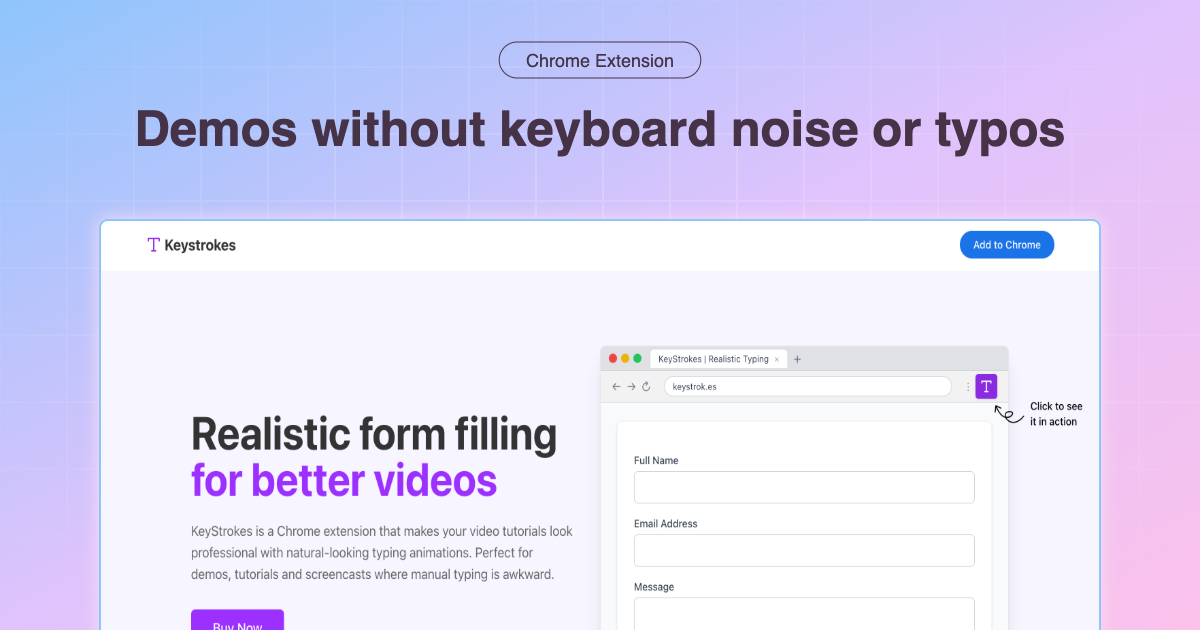
Professional Video Tutorials with Automated Typing
Hey there! Let me tell you about the most embarrassing moment of my developer relations career. Picture this: I'm presenting a live demo to 500+ developers at a major conference. Everything's going smoothly until I need to fill out a simple form on screen.
What should have taken 30 seconds turned into a 3-minute nightmare of typos, backspaces, and nervous laughter from the audience. "john.doe@exampl... wait, that's not right... john.doe@example.co... ugh, .com!"
Sound familiar?
I've been knee-deep in the world of Developer Relations for over a decade, working with various tech companies and startups, and I can't tell you how many times I've seen brilliant developers completely bomb their demos because of something as simple as typing on screen.
Here's the cold, hard truth: Your typing skills don't matter when you're creating video content. What matters is the story you're telling.
The Real Cost of Manual Typing in Videos
Looking back on my early days creating video tutorials, I was spending more time on retakes than actual content creation. Here's what I've realized - every typing mistake costs you:
Time: The average developer spends 40% more time on video production due to typing-related retakes. I learned this the hard way when a 10-minute tutorial took me 4 hours to record.
Credibility: Viewers lose confidence in your technical expertise when you can't spell "authentication" correctly on the third try. Trust me, I've been there.
Flow: Nothing kills the momentum of a great explanation like having to stop and correct "password" for the fifth time.
Energy: By take number 6, you're mentally exhausted and it shows in your delivery.
What I Wish I'd Known Earlier
Here's what I've found after creating hundreds of video tutorials: The best content creators aren't the best typists - they're the ones who eliminate typing as a variable entirely.
I remember working with a startup that was struggling to create compelling product demos. Their engineering team was brilliant, but their demo videos looked amateur because of constant typing fumbles. We implemented automated typing, and their conversion rates from video demos increased by 67% within two months.
Now, here's the thing - I'm not talking about some complex setup that requires a computer science degree. I'm talking about tools that work right in your browser.
The KeyStrokes Solution (And Why It Actually Works)
Let me be honest - I was skeptical about typing automation tools at first. "How hard can it be to type a few words?" Boy, was I wrong!
KeyStrokes changed everything for me because it solves the real problem: consistency. When you're recording your 15th take because you keep typing "localhost:300" instead of "localhost:3000", you'll understand why automation matters.
Here's how I use it now:
Pre-Demo Setup (5 minutes that saves hours)
- Map out your form fields - I spend 5 minutes identifying every input field I'll need to fill
- Pre-write realistic data - No more "test@test.com" - I use actual-looking email addresses
- Set appropriate typing speeds - Fast enough to keep viewers engaged, slow enough to follow along
During Recording
The magic happens when you click that purple KeyStrokes button. Suddenly, you're not thinking about spelling "authentication" correctly - you're focused on explaining the concept clearly.
Pro tip: I set my typing speed to "medium" for most tutorials. It feels natural without being painfully slow.
Real-World Impact (The Numbers Don't Lie)
After implementing automated typing in my video workflow:
- Recording time decreased by 60% - Fewer retakes mean faster production
- Viewer engagement increased by 45% - Smooth demos keep people watching
- Error rate dropped to zero - No more embarrassing typos in published content
But here's what surprised me most: My confidence on camera improved dramatically. When you're not worried about typing mistakes, you can focus on what really matters - teaching effectively.
The Controversial Truth About "Authentic" Demos
Here's a controversial opinion: Perfect typing in demos isn't fake - it's professional.
Some people argue that showing typing mistakes makes content more "authentic." That's like saying a movie should include the director yelling "cut" every time an actor forgets their lines.
Your audience isn't there to watch you type. They're there to learn from your expertise. Automated typing removes a distraction so they can focus on the actual value you're providing.
Getting Started (The Right Way)
If you're ready to stop letting typing mistakes sabotage your video content, here's my recommended approach:
Week 1: Install and Experiment
- Install KeyStrokes from the Chrome Web Store
- Practice with simple forms on test sites
- Get comfortable with the interface
Week 2: Plan Your First Automated Demo
- Choose a tutorial you've recorded before
- Map out all the form fields you'll need
- Record a comparison video (you'll be amazed at the difference)
Week 3: Optimize Your Workflow
- Develop templates for common scenarios (login forms, contact forms, etc.)
- Experiment with different typing speeds
- Start incorporating into your regular content creation
The Bottom Line
Trust me, your future self will thank you for implementing automated typing now. I wish I'd discovered this solution years ago - it would have saved me countless hours and probably a few gray hairs.
The reality is that creating great video content is hard enough without adding unnecessary technical hurdles. Automated typing isn't cheating - it's being smart about your workflow.
What's your biggest challenge when recording video tutorials? I'd love to hear about your experiences on Twitter. And if you're still on the fence about trying KeyStrokes, remember - the first step to better video content is admitting that perfect typing shouldn't be a prerequisite for great teaching.
Still struggling with video tutorial creation? Check out our complete guide to screen recording best practices for more insights from the trenches.